Compare baseball rankings
Review the published age and region scopes and their methodology. A ranking is not a claim that a team is available to play.
Travel baseball and softball coaches: post availability, find opponents and manage games.
Now available
Download the app and start finding games.


Create Your Team
For managers starting a new team profile.
Join Existing Team
For coaches or schedulers joining a team already on Game Manager.
Browse public information before creating a Team. Posted availability, published rankings and tournament listings answer different questions.
Review the published age and region scopes and their methodology. A ranking is not a claim that a team is available to play.
Browse public team profiles by location and age. Check posted availability before choosing the next scheduling action.
Browse the Team DirectoryCheck published dates, divisions and registration details. The organizer confirms eligibility and entry; a listing is not a reservation.
Browse tournament listingsReady to schedule? Free Teams can post availability and manage incoming challenges. Sending a new challenge requires Team Pro and an authorized Manager or Coach.
How Game Manager Pro works
Build your availability, find opponents with the right profile, and send challenges without losing track of what matters.
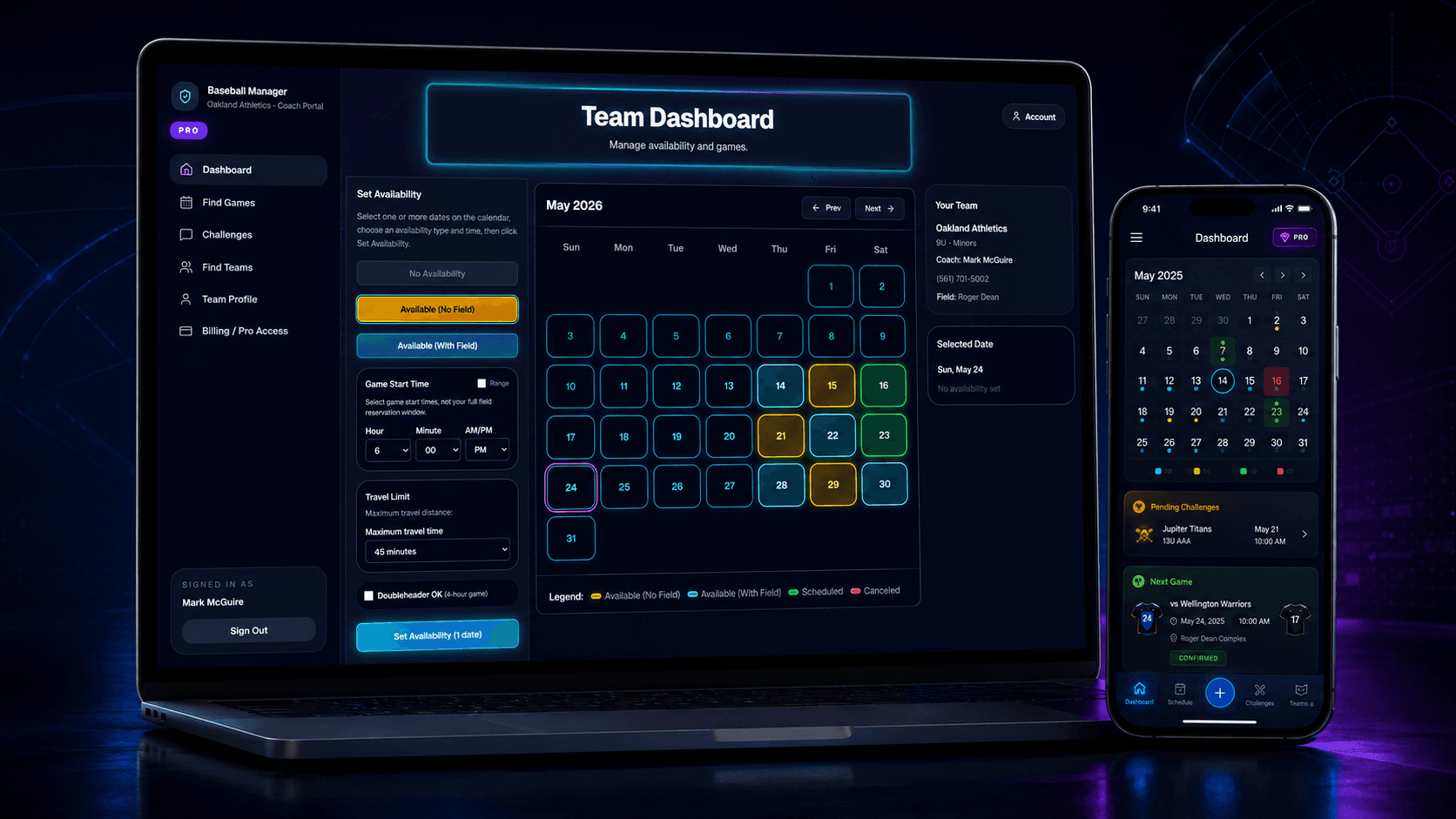
Pick dates, times, field/court status, travel limits, and doubleheader willingness.
Filter teams by age, level, location, distance, and available dates.
Request the matchup and keep field/court, time, and game status organized.
Coach resources
Learn how to post real availability, find opponents, avoid field double-booking, and manage changes without turning every game into a long text chain.
View all coach resourcesScheduling
Turn a genuinely open date into a game: choose your team age and travel area, inspect posted availability, agree on the venue, and keep a pending request separate from an accepted matchup.
Opponent Search
A practical guide for finding opponents who match your age group, level, geography, and open dates.
Availability
A field-first planning guide for teams that host games, share venues, or need to keep availability current as weekends change.
Hosting tournaments?
Game Manager Pro helps coaches discover tournaments and gives tournament directors tools for registrations, schedules, standings, and brackets.
Post your tournament for free and use any tournament tools you need.
Registration, scheduling, brackets, standings, scores, insurance, officials, AI, and sharing tools are included.
Game Manager Pro adds no tournament platform surcharge to team entry payments.
Assigning organizations
Create an assignor account and connect Assignr so Game Manager Pro can route eligible games to your assigning organization. Coaches, teams, and tournament directors do not need Assignr accounts.
Public Team Discovery
Browse team profiles, local directories, and age groups to find your next opponent or request access to your team.
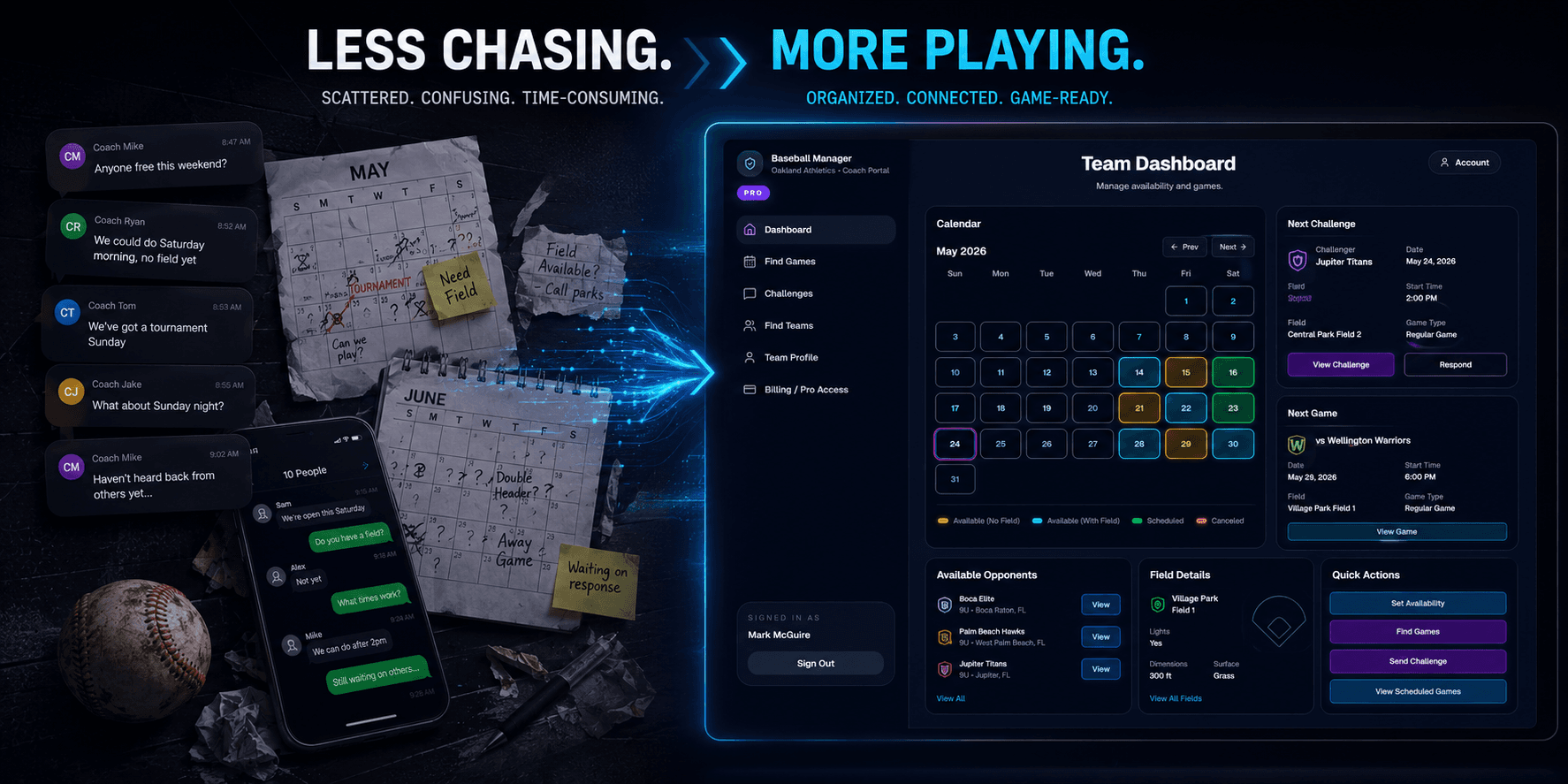
Less chasing. More playing.
Game Manager Pro gives coaches a central place to post availability, find opponents, and keep scheduled games organized without endless group texts.
Group texts get buried.
Challenges stay organized by team, date, and status.
Field/court details change.
Games store the selected field/court snapshot and field/court number details.
Finding the right opponent takes time.
Filter by age, level, location, availability, and distance.
Control your availability
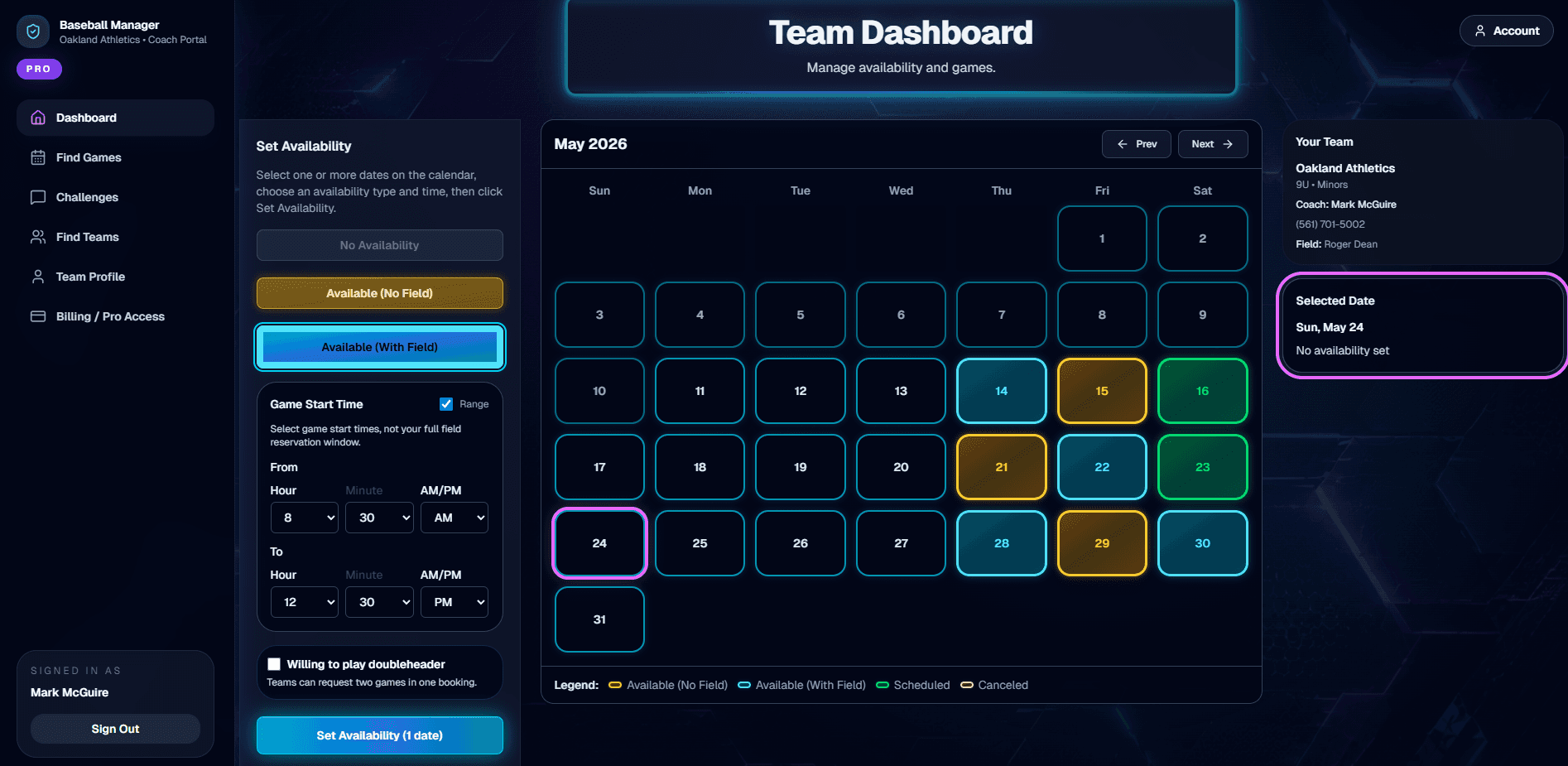
Post available dates, show whether you have a field/court, set travel limits, and mark weekend doubleheader availability.
Host when you have a field/court
Travel when another team can host
Set start times or time ranges
Add travel limits
Mark weekend doubleheader availability
More coach-ready features
All the tools you need to find available opponents, manage challenge flow, and keep scheduled games in sync.
Filter by availability, age, level, distance, and field/court status.
Track inbound, outbound, pending, accepted, and scheduled games.
Designed around real coach workflows, not generic calendar tools.
Pro Coach Toolkit
For coaches who want the full scheduling toolkit.
FAQ
What sports does Game Manager Pro support?
Game Manager Pro is built for travel sports teams, not just baseball. Supported sports can use the same workflow to post availability, find opponents, send challenges, and manage field/court details.
What if my team does not have a field/court?
Mark Available No Field/Court, set travel limits, and let teams with fields/courts challenge your squad when the matchup works.
Can coaches choose who they play?
Yes. Coaches review available teams and send challenges. The receiving coach can accept or decline.
What does doubleheader availability mean?
It means your team is open to a weekend doubleheader challenge while still supporting single-game requests.
What is Pro Access?
Free teams can post availability, browse posted opportunities, and manage incoming challenges. Sending a new challenge requires Team Pro and an authorized Manager or Coach; the app checks the selected Team before continuing.
Can I manage or cancel my subscription?
Web subscriptions are managed through Stripe, and coaches can manage billing through the Stripe portal.
Is this replacing tournaments or leagues?
No. Game Manager Pro supports coach scheduling and approved tournament director tools, while leagues and tournament hosts still control their own events and policies.
Your Next Game Starts Here
Create a Free team and start finding opponents from one coach dashboard.